How to Set Up Your AI Influencer on Fanvue
Complete Fanvue setup guide for AI influencers. Account creation, verification, pricing, and optimization tips.

Fanvue has emerged as the leading platform for AI influencers, with purpose-built features that OnlyFans and other competitors lack. The platform actively welcomes AI creators, provides specific tools for AI content, and has built a user base that expects and engages with virtual personas. This guide walks through every step of launching an AI influencer on Fanvue, from account creation through optimization strategies that maximize revenue.
Why Fanvue for AI Influencers
Before diving into setup, understand why Fanvue has become the default choice for AI influencer operations.
Platform Comparison for AI Content
| Factor | Fanvue | OnlyFans | Fansly | Patreon |
|---|---|---|---|---|
| AI content policy | Explicitly allowed | Case-by-case | Generally allowed | Allowed |
| AI-specific features | Yes | No | Limited | No |
| AI disclosure tools | Built-in labeling | Manual | Manual | Manual |
| Revenue share | 80/20 | 80/20 | 80/20 | 80-88% |
| AI creator community | Large, established | Small | Growing | Minimal |
| Platform reputation for AI | Leading | Uncertain | Secondary | Not focused |
Fanvue's AI Advantages
The platform has invested in AI creator infrastructure:
| Feature | Benefit |
|---|---|
| AI creator badges | Transparent labeling fans expect |
| AI-specific discovery | Dedicated AI creator categories |
| Fantasy content guidelines | Clear rules for fictional personas |
| Supportive policies | Platform publicly supports AI creators |
| AI chat integration | Native tools for AI-assisted responses |
| Growing AI audience | Users specifically seeking AI content |
Fanvue Revenue Potential
| Metric | Fanvue Average | Industry Context |
|---|---|---|
| AI creator earnings | $500-3,000/month typical | After 3-6 months |
| Top AI earners | $10,000-50,000+/month | Top 1-5% |
| Revenue split | 80% to creator | Industry standard |
| Payout frequency | Weekly or biweekly | Flexible |
| Minimum payout | $20 | Lower than many platforms |
Pre-Setup Preparation
Complete these steps before creating your Fanvue account.
Content Library Requirements
Don't create an account without content ready to post:
| Content Type | Minimum | Purpose |
|---|---|---|
| Profile images | 5-10 | Account setup and preview |
| Feed content | 50-100 | First month of posts |
| Premium content | 20-30 | Vault and PPV |
| Chat images | 20-30 | Personal conversations |
This library ensures you can post consistently from day one without scrambling.
Documentation Needed
| Document | Purpose | When Required |
|---|---|---|
| Government ID | Identity verification | Account creation |
| Bank information | Payout setup | Before first payout |
| Tax information | W-9/W-8BEN | Required for earnings |
| Persona documentation | AI disclosure | Profile setup |
Business Structure Decision
Before creating your account, decide on business structure:
| Approach | Pros | Cons |
|---|---|---|
| Personal account | Simple, immediate | Personal tax reporting |
| LLC | Liability protection | Setup cost and time |
| Corporation | Maximum protection | Most complex |
For most creators starting out, a personal account works initially with LLC formation planned once revenue exceeds $5,000/month.
Account Creation Process
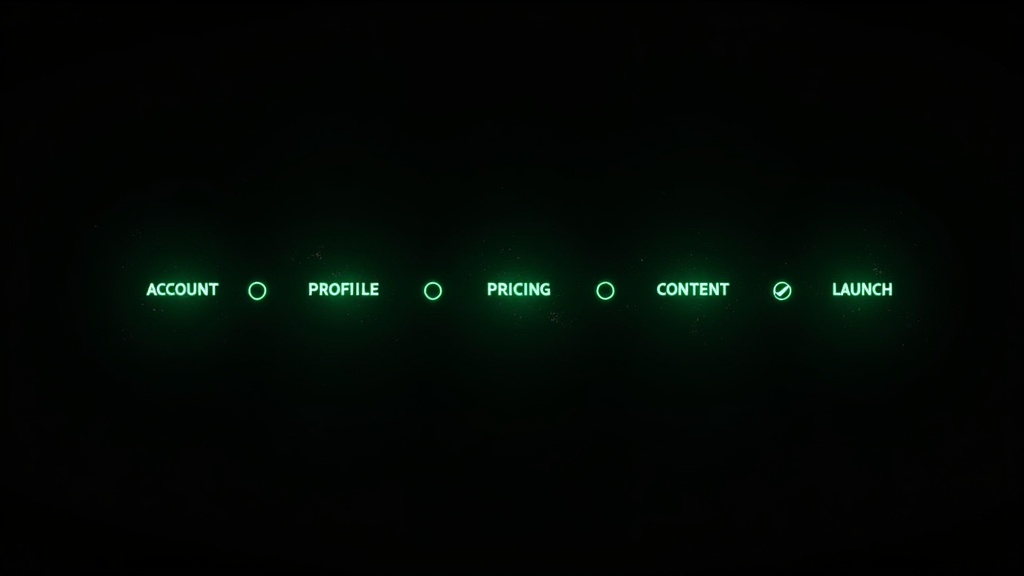
The step-by-step process for creating your Fanvue creator account.
Step 1: Initial Registration
Navigate to Fanvue's creator signup page.
Required information:
- Email address (use dedicated business email)
- Username (your persona's primary handle)
- Password (strong, unique)
- Country of residence
Username selection criteria:
| Good Username | Why It Works |
|---|---|
| Short (under 15 characters) | Easy to remember, type |
| Matches persona name | Brand consistency |
| No numbers/underscores | Looks more professional |
| Available on other platforms | Cross-platform consistency |
Step 2: Email Verification
Check your email for verification link. Complete verification before proceeding—unverified accounts have limited functionality.
Step 3: Identity Verification
Fanvue requires identity verification for all creators.
What you need:
- Government-issued photo ID
- Clear photos/scans of ID
- Selfie holding ID (sometimes required)
Verification timeline:
| Status | Typical Wait |
|---|---|
| Submitted | 24-48 hours |
| Additional docs requested | +24-48 hours |
| Approved | Immediate access |
| Rejected | Review denial reason, resubmit |
Common rejection reasons:
- Blurry ID photos
- Expired ID
- Name mismatch with account
- Unreadable information
Step 4: Tax Information
Complete tax documentation before you can receive payouts.
US creators: W-9 form required Non-US creators: W-8BEN form required
| Form Field | What to Enter |
|---|---|
| Name | Legal name matching ID |
| Address | Current address |
| Tax ID | SSN or EIN (US) / Tax ID (non-US) |
| Tax treaty | Claim if applicable |
Step 5: Payout Setup
Configure how you'll receive earnings.
Payout options:
| Method | Processing Time | Fees | Minimum |
|---|---|---|---|
| Bank transfer | 3-5 business days | Varies by country | $20 |
| International wire | 5-7 business days | $25-50 typically | $100 |
| Paxum | 1-2 business days | Variable | $20 |
| Cryptocurrency | 1-24 hours | Network fees | $50 |
Recommended setup: Bank transfer for most creators. Crypto for faster access or privacy concerns.
Profile Optimization
Your profile is the conversion point where visitors become subscribers. Optimize every element.
Profile Photo Selection
The profile photo appears in search, recommendations, and all subscriber notifications.
Optimal profile photo characteristics:
| Element | Recommendation |
|---|---|
| Face visibility | Clear, recognizable |
| Expression | Warm, inviting smile |
| Framing | Face and upper body |
| Lighting | Well-lit, flattering |
| Background | Simple, non-distracting |
| Resolution | High quality, no artifacts |
Banner/Cover Image
The banner appears at the top of your profile page.
| Aspect | Guidance |
|---|---|
| Dimensions | 1500x500 recommended |
| Content | Showcase persona aesthetic |
| Text | Optional—keep minimal |
| Branding | Consistent with persona |
Bio Writing
Your bio converts profile visitors into subscribers. Every word matters.
Bio structure:
Line 1: Hook (who you are, what makes you special)
Line 2-3: What subscribers get (content types, frequency)
Line 4: Personality teaser (voice preview)
Line 5: Call to action
Example bio:
"Hey, I'm Sophia 💕 Your girlfriend who actually texts back.
Daily posts, exclusive videos, and conversations that feel real. I share everything here that I can't post anywhere else.
Subscribe to get my attention—I reply to everyone who does.
Let's have some fun together 💋"
Bio Optimization Tips
| Element | Recommendation |
|---|---|
| Length | 150-300 characters optimal |
| Emojis | 2-4 max, personality-appropriate |
| Call to action | Include one, clear |
| AI disclosure | Include per Fanvue guidelines |
| Links | Use sparingly if allowed |
AI Disclosure Setup
Fanvue provides specific AI disclosure tools.
How to properly disclose:
- Enable AI creator badge in settings
- Include disclosure in bio: "AI-generated persona"
- Use AI labels on content when prompted
- Respond honestly if fans ask directly
Disclosure language examples:
| Approach | Example |
|---|---|
| Direct | "I'm an AI-generated character, but our connection is real" |
| Playful | "Digital girl with real personality 💕" |
| Matter-of-fact | "AI persona |
Pricing Strategy
Your subscription price significantly impacts both conversion rate and revenue per subscriber.
Subscription Price Analysis
| Price Point | Conversion Rate | ARPS | Best For |
|---|---|---|---|
| $4.99 | Highest | $12-18 | Volume strategy, new creators |
| $9.99 | High | $22-28 | Balanced approach |
| $14.99 | Medium | $32-40 | Established personas |
| $19.99 | Lower | $45-55 | Premium positioning |
| $29.99+ | Lowest | $60-80+ | Luxury/exclusive positioning |
Price Selection Framework
| Factor | Lower Price | Higher Price |
|---|---|---|
| Content volume | Lower output | Higher output |
| Niche competition | High competition | Low competition |
| Persona positioning | Accessible | Premium/exclusive |
| Revenue strategy | Volume + upsells | Subscription-focused |
| Fan engagement level | Moderate | Very high engagement |
Recommendation for new AI creators: Start at $9.99 or $14.99. Easier to raise prices later than to lower them.
Promotional Pricing
Fanvue allows promotional pricing for new subscribers.
| Promotion Type | Use Case | Example |
|---|---|---|
| First month discount | Reduce initial barrier | $4.99 first month, then $14.99 |
| Limited-time sale | Special occasions, launches | 50% off for 7 days |
| Bundle pricing | Multiple months upfront | 3 months for price of 2 |
Promotional pricing strategy:
| Stage | Approach |
|---|---|
| Launch (Month 1) | Aggressive discounts to build base |
| Growth (Months 2-4) | Moderate discounts for momentum |
| Established (Month 5+) | Occasional promotions only |
Free vs. Paid Account
Fanvue offers both free and paid subscription models.
| Model | How It Works | Best For |
|---|---|---|
| Paid only | All content behind subscription | Premium positioning |
| Free tier + paid | Free teaser content, paid for full | Higher reach, more subscribers |
| Free + PPV | No subscription, all content PPV | Maximum flexibility |
Most AI influencers choose: Paid subscription ($9.99-14.99) with occasional free trial promotions.
Content Settings Configuration
Configure how content appears and who can access it.
Content Categories
Set up content categories for organization:
| Category | Content Type | Access Level |
|---|---|---|
| Public | Teasers, previews | Anyone |
| Subscriber | Regular posts | Subscribers only |
| Premium | Exclusive content | Subscribers + extra payment |
| PPV | Pay-per-view | Individual purchase |
Post Settings
| Setting | Recommendation |
|---|---|
| Comments | Enable for engagement |
| Likes | Enable |
| Save | Enable (subscribers can save) |
| Download | Disable or watermark |
| AI label | Enable when prompted |
Watermark Configuration
Protect your content from theft:
| Watermark Setting | Recommendation |
|---|---|
| Enable watermarking | Yes |
| Position | Corner, semi-transparent |
| Content | Username or persona name |
| Opacity | 30-50% |
Message Settings
Configure direct message options:
| Setting | Recommendation | Reason |
|---|---|---|
| Allow DMs | Yes | Revenue from chat |
| Message pricing | Free for subscribers | Encourages engagement |
| Media messaging | Enable | Send PPV through chat |
| Read receipts | Optional | Can create pressure |
Subscription Tier Setup
Fanvue supports multiple subscription tiers for different access levels.
Tier Structure Options
Single tier (Simple):
- One price, one access level
- All content available to all subscribers
- Easiest to manage
Two-tier (Common):
- Standard: Regular content
- VIP: Premium content + perks
Three-tier (Advanced):
- Basic: Core content
- Premium: Extra content
- VIP: Everything + special access
Example Tier Configuration
| Tier | Price | Includes |
|---|---|---|
| Standard | $9.99 | Daily posts, DM access |
| Premium | $19.99 | All standard + weekly exclusives + priority replies |
| VIP | $49.99 | All premium + monthly custom + discord access |
Tier Perks to Offer
| Perk | Tier Level | Effort to Deliver |
|---|---|---|
| Daily posts | Basic | Content library |
| Weekly exclusives | Premium | Additional content |
| Priority DM replies | Premium | Chat management |
| Monthly custom | VIP | Time-intensive |
| Birthday content | VIP | Calendar tracking |
| Name in posts | VIP | Low effort, high value |
AI Features Configuration
Fanvue offers AI-specific tools. Configure them properly.
AI Creator Badge
How to enable:
- Go to Account Settings
- Find Creator Type section
- Select "AI/Virtual Creator"
- Badge appears on profile
Benefits of the badge:
- Builds trust through transparency
- Attracts AI-interested audience
- Complies with platform guidelines
- Reduces complaint risk
AI Chat Assistance
Fanvue offers AI tools to help with chat responses.
| Feature | Function | How to Use |
|---|---|---|
| Suggested replies | AI-generated response options | Select and customize |
| Message templates | Save common responses | Quick access for chatters |
| Sentiment analysis | Understand fan mood | Adjust approach accordingly |
Recommendation: Use AI suggestions as starting points, always customize for persona voice and fan context.
Content Labeling
Properly label AI-generated content:
| Content Type | Label Needed | How to Apply |
|---|---|---|
| Profile images | Yes | Enable AI badge |
| Posts | Yes | Use AI content tag |
| Videos | Yes | Include in description |
| Messages | Optional | Covered by profile badge |
Pre-Launch Checklist
Before going live, verify everything is configured correctly.
Account Verification
| Item | Status | Notes |
|---|---|---|
| Email verified | ☐ | Check for confirmation |
| ID verified | ☐ | May take 24-48 hours |
| Tax forms complete | ☐ | Required for payouts |
| Payout method added | ☐ | Test with small amount |
Profile Completion
| Element | Status | Quality Check |
|---|---|---|
| Profile photo | ☐ | High quality, recognizable |
| Banner image | ☐ | Matches persona aesthetic |
| Bio written | ☐ | Compelling, clear value prop |
| AI disclosure | ☐ | Clear and visible |
| Username finalized | ☐ | Consistent with brand |
Pricing Configuration
| Setting | Status | Verified |
|---|---|---|
| Subscription price | ☐ | Competitive for niche |
| Promotional pricing | ☐ | Launch discount if using |
| Tier structure | ☐ | Clear value at each level |
| PPV pricing guidelines | ☐ | Documented |
Content Readiness
| Category | Quantity | Ready |
|---|---|---|
| Profile preview | 5-10 | ☐ |
| Initial feed posts | 30+ | ☐ |
| Scheduled content | 2 weeks | ☐ |
| Vault/premium | 15+ pieces | ☐ |
| Chat images | 20+ | ☐ |
Launch Strategy
How you launch impacts your first month's performance.
Pre-Launch Promotion
Build anticipation before going live:
| Channel | Action | Timing |
|---|---|---|
| Twitter/X | Teaser posts | 1 week before |
| Story countdown | 3-5 days before | |
| Community engagement | 2 weeks before | |
| TikTok | Persona introduction | 1 week before |
Launch Day Checklist
| Time | Action |
|---|---|
| Morning | Post first feed content |
| Midday | Announce on social platforms |
| Afternoon | Respond to first subscribers immediately |
| Evening | Post second piece of content |
| Night | Send welcome messages to new subs |
First Week Priorities
| Priority | Action | Why It Matters |
|---|---|---|
| 1 | Respond to every message | Sets engagement expectations |
| 2 | Post 2-3 times daily | Demonstrates value |
| 3 | Welcome each subscriber personally | Builds connection |
| 4 | Track what's working | Data for optimization |
| 5 | Ask for feedback | Learn fan preferences |
First Month Milestones
| Milestone | Target | Indicates |
|---|---|---|
| First subscriber | Day 1-3 | Account is visible |
| 10 subscribers | Week 1 | Basics working |
| 25 subscribers | Week 2 | Traction building |
| 50+ subscribers | Month 1 | Viable operation |
Post-Launch Optimization
After launch, continuously optimize performance.
Analytics to Track
| Metric | Where to Find | What It Tells You |
|---|---|---|
| New subscribers | Dashboard | Growth rate |
| Churn rate | Subscriber history | Retention health |
| Revenue per sub | Calculate | Value optimization |
| Top content | Analytics | What fans want |
| Peak times | Message analytics | When to post |
Optimization Actions
| Issue | Indicator | Action |
|---|---|---|
| Low conversion | Many profile views, few subs | Optimize bio, preview content |
| High churn | Subs leave within 30 days | Improve content quality, engagement |
| Low revenue per sub | Earnings below $25/sub | Add PPV, improve chat sales |
| Slow growth | Plateaued subscriber count | Increase promotion, new content types |
A/B Testing on Fanvue
| Element | Test Approach |
|---|---|
| Subscription price | Change monthly, compare conversions |
| Bio text | Update, track conversion rate |
| Profile photo | Rotate, measure impact |
| Content types | Vary posting mix, track engagement |
| PPV pricing | Test different price points |
Common Setup Mistakes
Avoid these errors that hurt new creators.
Profile Mistakes
| Mistake | Impact | Fix |
|---|---|---|
| No AI disclosure | Policy violation risk | Add badge and bio mention |
| Blurry profile photo | Low conversions | Use highest quality image |
| Generic bio | Poor differentiation | Write compelling, specific copy |
| No preview content | Visitors can't judge | Add 5-10 preview images |
Pricing Mistakes
| Mistake | Impact | Fix |
|---|---|---|
| Price too low | Attracts low spenders | Start at $9.99+ minimum |
| Price too high | Low conversion | Test lower, raise with traction |
| No promotional pricing | Harder first conversions | Offer launch discount |
| Inconsistent pricing | Confuses fans | Document and stick to pricing |
Content Mistakes
| Mistake | Impact | Fix |
|---|---|---|
| Not enough content ready | Can't post consistently | Build library before launch |
| Inconsistent character | Breaks fan immersion | Use consistent LoRA and references |
| No content variety | Fans get bored | Mix content types and settings |
| Posting too rarely | Fans feel cheated | 2-3 posts minimum daily |
Building Your Content Engine
Before launching on Fanvue, you need consistent content generation.
Apatero.ai provides the content foundation for Fanvue success:
| Feature | Independent ($99/mo) | Powerhouse ($199/mo) |
|---|---|---|
| AI personas | 3 | 10 |
| Images per month | 1,500 | 5,000 |
| Videos per month | 150 | 500 |
| Revenue share | Keep 80% | Keep 80% |
| Annual pricing | $799/year (save $389) | $1,499/year (save $889) |
Complete Launch Timeline
| Week | Focus | apatero.ai Tasks | Fanvue Tasks |
|---|---|---|---|
| 1 | Persona creation | Design character, train LoRA | None |
| 2 | Content generation | Generate 200+ images, 30+ videos | Create account |
| 3 | Setup | Generate chat content | Complete verification, profile |
| 4 | Launch prep | Generate vault content | Configure pricing, schedule posts |
| 5 | Launch | Ongoing generation | Go live, promote |
| 6+ | Growth | Continuous generation | Optimize, scale |
Fanvue provides the platform; apatero.ai provides the content engine. Together, they create a complete AI influencer operation. Start building your content library at apatero.ai, then launch on Fanvue with everything you need to succeed.
Fanvue's platform and policies evolve regularly. Verify current requirements directly on Fanvue when setting up your account. This guide reflects best practices as of early 2026.
Apatero Team
Building the future of AI influencer monetization.