How to Lock a Character Across 50 Images
A real workflow for getting the same face, same outfit, same vibe across an entire image set. Without character drift, without re-prompting fifty times
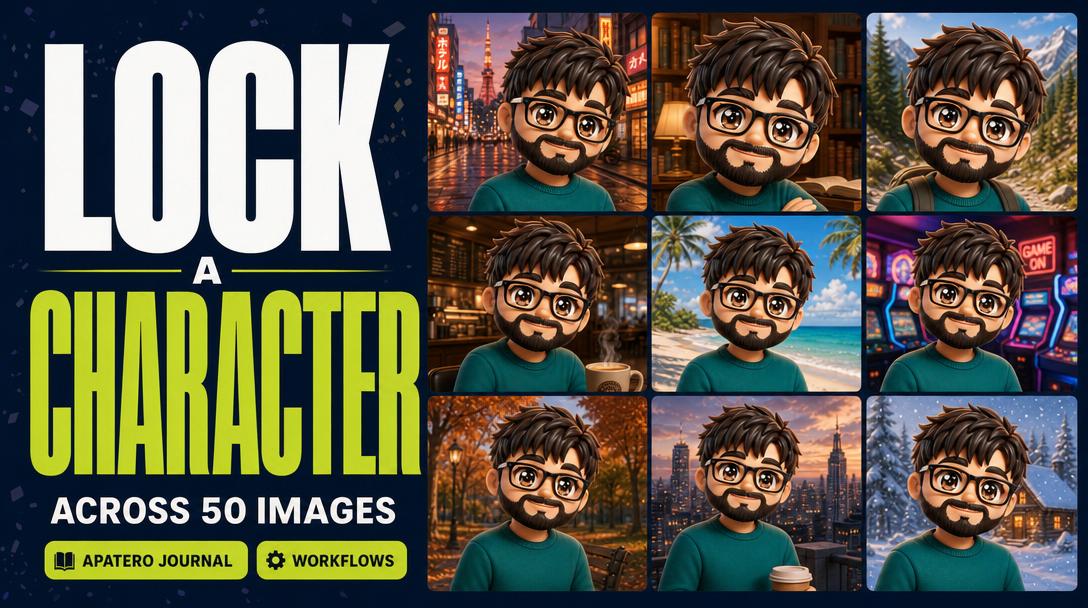
You have a character. You have fifty prompts in your head. By image three, the eyes have changed color. By image ten, the cheekbones have moved. By image fifty, you are not generating one character anymore, you are generating a small village.
This is the single most common pain in AI image work. Tarot deck creators hit it on card seven of seventy-eight. TTRPG players hit it the moment they want to render their party in a second scene. Children's book authors hit it across twelve illustrations and quietly give up. Streamer thumbnail makers, comic artists, and brand ambassadors hit it every single day.
Apatero solves this in one workflow that runs in one tab. No subscription juggling, no LoRA training, no per-image re-prompting. Here is the entire process from a single reference photo to a coherent fifty-image pack.
Open Apatero and follow along →
What You'll End Up With
A folder of fifty images of the same character. Same face. Same hair. Same wardrobe identity. Different poses, different scenes, different lighting, different aspect ratios as needed. Ready to drop into a deck, a book, a thumbnail set, a campaign sheet, or a brand library.
The whole thing takes one afternoon. The first time. The fifth time it takes about fifteen minutes.
Step 1: Set the Persona With One Reference Image
Open Apatero, head to the generation workspace, and upload one image of your character. This can be a photo of a real person, an AI-generated portrait you already have, a sketch, or a 3D render. What matters is that it is one image and that the face is clearly visible.
Apatero reads this reference, locks the identity signature, and treats it as the anchor for everything that follows. There is no training step. There is no model upload. You drop the image in and the persona is set.
If you want to refine the persona first, this is the moment to do it. You can ask Apatero to generate a small set of preview portraits in slightly different lighting before locking anything in. Three to five previews is enough to verify the lock holds across simple variation. Once you are happy, that image becomes the persona reference for the rest of the workflow.
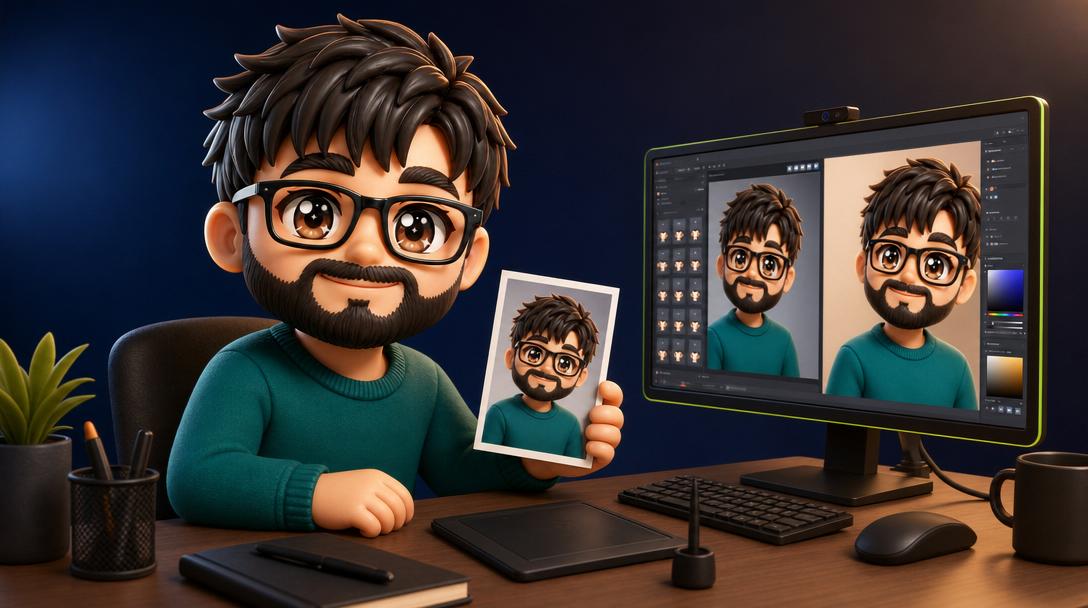
Output: one persona reference, locked.
Step 2: Build a Prompt Template, Not Fifty Prompts
The mistake everyone makes is writing fifty individual prompts. That is how drift happens. Instead, you write one prompt template with two parts: a fixed clause that describes the persona and the wardrobe, and a variable clause that swaps the scene, pose, lighting, and aspect ratio per image.
A fixed clause looks like this: "the same woman with shoulder-length copper hair, soft features, a black turtleneck, and silver hoop earrings." A variable clause looks like this: "standing on a misty Tokyo street at dusk, looking back over her shoulder, wide cinematic frame."
The fixed clause is identical across all fifty generations. The variable clause changes per image. Apatero handles this as one prompt template plus a variation list, so you write the fixed clause once and the variable list as a simple sequence.
If your character has a signature object (a guitar, a sword, a coffee cup, a clipboard), put it in the fixed clause. If your character has signature colors (anything that should never change), put those in the fixed clause too. Everything else lives in the variable clause.
A practical structure that works across most character packs: ten scenes set indoors, ten scenes set outdoors, ten close-up portraits with different expressions, ten wide-frame action shots, and ten signature-pose hero shots. That gives you a balanced fifty-image library that covers every use case from a deck card to a thumbnail to a cover spread. Mix the aspect ratios across the list, do not bake them per group, and Apatero will export each variant at the ratio you specified for its variable clause.
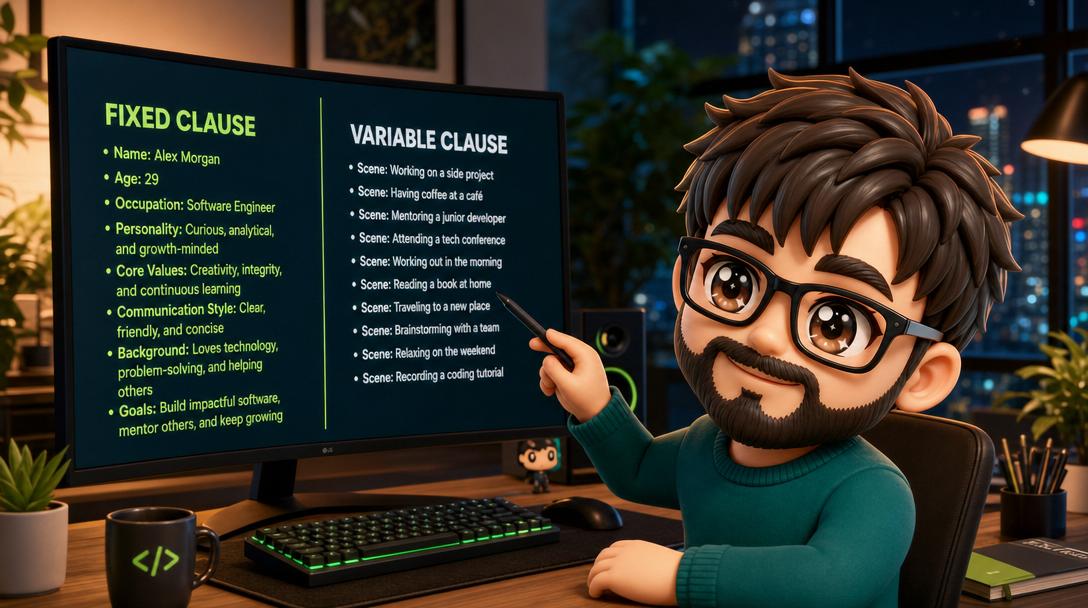
Output: one prompt template with a fixed identity clause and a variable scene list of fifty entries.
Step 3: Run the Batch in One Job
Hit generate. Apatero fans the prompt template across the entire variation list in one job, not fifty. The identity lock runs against every single generation. The persona reference travels with the prompt to every variant.
The batch typically completes in a few minutes for fifty images. You will see them populate the gallery as they finish. Apatero saves the entire batch under one job so you can come back to it, regenerate individual variants without losing the rest, and export the whole thing at once.
A few practical notes from running this workflow at scale: keep the variable clauses concrete (a specific scene beats "a scene"), keep the prompt template under about three hundred and fifty characters total so the model has room to apply identity lock without the prompt fighting itself, and trust the lock. If the first ten look right, the next forty almost always will.
If something does drift, you do not regenerate the whole batch. You regenerate the one or two variants that missed and Apatero swaps them into the set. This is the part that destroys people who run consistency workflows across two or three separate tools. A drifted image in a hand-stitched pipeline means re-running through every step, fighting prompt syntax differences between tools, and praying the new variant matches the rest. In Apatero the regenerate is one button on the variant tile.
One more habit worth building early. Name your batches. Apatero lets you tag a batch with a project name, a character name, or a campaign label. Six months from now you will be glad you did. A character lock you set up for a children's book in April is exactly what you want to pull back into the workspace when the sequel comes around in October, and a clean batch name is the difference between five minutes of work and an afternoon of digging.
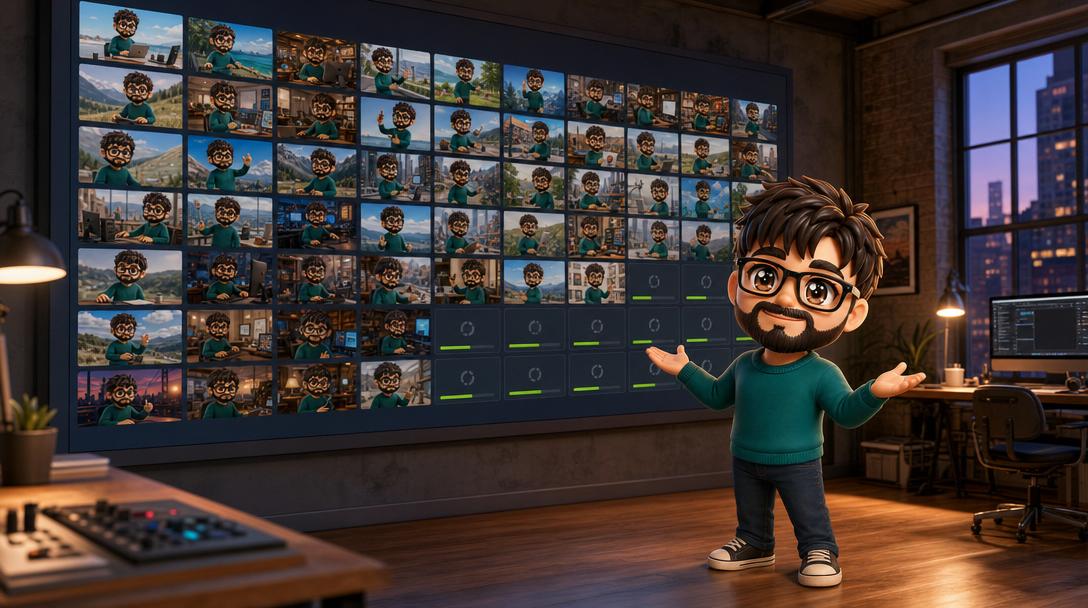
Output: fifty images, gallery view, identity-locked, ready to curate.
Step 4: Curate, Refine, Export
The last step is the boring one and also the one that separates a polished set from a chaotic dump. Open the batch in gallery view, flag the ones that hit, flag the ones that almost hit, and discard the rest.
For the "almost hit" set, Apatero has a refine option. You can pull any individual image back into the workspace, tweak one element (the lighting, the pose, the background) and regenerate while the identity stays locked. This is much faster than re-prompting from scratch and it is the reason batch curation in Apatero usually settles at forty-five out of fifty rather than thirty-five out of fifty.
When the set is dialed, export the batch in your target format. Standard PNG for digital use, high-resolution upscale for print, transparent backgrounds for compositing, or web-optimized JPEG for thumbnails. The export tool runs against the whole batch in one click.
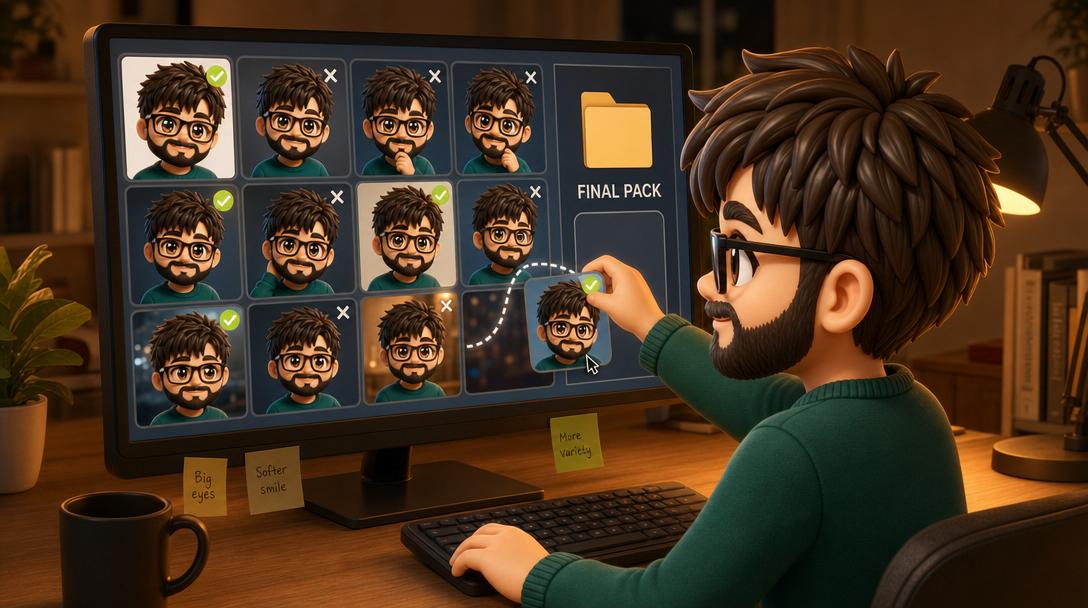
Output: a clean fifty-image character set, exported in your delivery format, persona consistent across the entire pack.
The Final Result
What you end up with is a coherent character library. Not fifty disconnected single-shots. Not a batch where ten of them obviously came from a different person. A real set that holds together visually as the same persona across every variant.
This is the thing that was impossible in any single generation tool eighteen months ago, and was only barely possible across two or three tools and a manual workflow as recently as last quarter. Apatero compresses the entire pipeline into one job in one tab.
What This Would Cost You Anywhere Else
Without Apatero, the equivalent workflow looks like this. You pay for a base image generation tool (Midjourney or one of the standalone subscriptions). You pay for a character consistency tool that runs LoRA training (separate subscription, often per training run). You pay for an upscaler subscription on the back end. You pay an editor subscription to handle batch curation. You spend an afternoon stitching the tools together and another afternoon every time the model behind one of them updates.
That stack runs forty to one hundred and twenty dollars per month before you have generated anything. Apatero runs the whole thing under one subscription and the identity lock is the default behavior, not a paid add-on.
You also do not need to know which model is doing the heavy lifting. The right model runs underneath you. When something better ships, Apatero swaps it in and the workflow stays the same.
Generate Your Set
Open Apatero, upload a reference, write one prompt template, run one batch. Fifty consistent character images in the time it used to take to write fifty prompts.
Related Articles
AI Comic Pages: Six Panels, One Hero, Zero Drift
Comic pages punish drift more than any other format. Six panels, one hero across all of them, and a workflow that scales to a forty-page issue.
Turn Your AI Persona Into UGC-Style Product Ads
UGC ads work because a real-looking person seems to genuinely use the product. A locked AI persona can play that role at scale, in stills and short video, without booking a single creator. Here is the workflow for spokesperson content that converts.
Make Short Videos of Your AI Persona From Claude
You already generate stills from a chat. Video is the same move with a different verb. Here is how to turn a saved character into a short clip, or a talking clip, without leaving the Claude conversation.